# Amount off shipping rate

How to create <mark style="color:yellow;">**shipping discount**</mark> on your Shopify store using the <mark style="color:yellow;">**Amount off shipping**</mark> option? A simple walkthrough.

{% embed url="<https://drive.google.com/file/d/17SIeAD3AqTmxe8DQ_sXESSQeloY7zogr/view?usp=sharing>" %}

## Guide

1. Create a new [<mark style="color:yellow;">**Discount**</mark>](https://admin.shopify.com/apps/slice-n-save/discounts).

<figure><img src="/files/CxKYbsJpEFJCL22OCJ32" alt=""><figcaption></figcaption></figure>

2. Select the <mark style="color:yellow;">**Amount off shipping**</mark> from the given list of discount types.

<figure><img src="/files/IWHLbAe3GxTIuzFsrT6V" alt=""><figcaption></figcaption></figure>

3. Select <mark style="color:yellow;">**method**</mark>, <mark style="color:yellow;">**title**</mark> and <mark style="color:yellow;">**value**</mark> for the discount.

<figure><img src="/files/dbTndfmOLL865yNss7sJ" alt=""><figcaption></figcaption></figure>

4. Add multiple <mark style="color:yellow;">**conditions**</mark> to handle the validation of the shipping discount on the checkout page.

<figure><img src="/files/6aDJfjQ9oSOrXZgNwM2b" alt=""><figcaption></figcaption></figure>

5. Select the <mark style="color:yellow;">**shipping methods**</mark> or rates on which the shipping discount will be applied.

<figure><img src="/files/jTIlhlJ7OblHjC2u9t33" alt=""><figcaption></figcaption></figure>

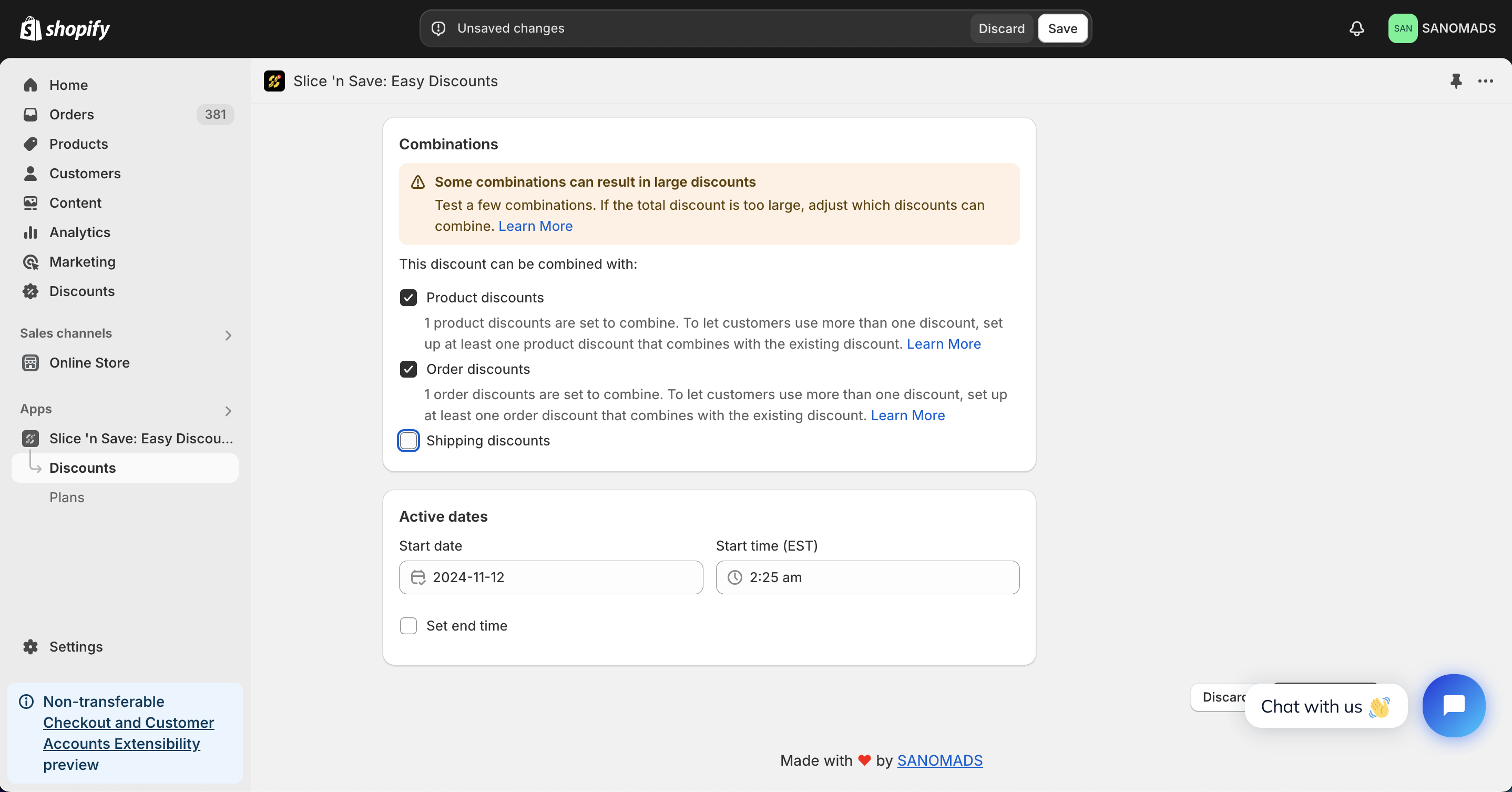
6. Discounts can be applied in <mark style="color:yellow;">**combination**</mark> with other discounts which are created using Slice 'n Save app.

<figure><img src="/files/wOEcdW5C7D9r3jjP44QN" alt=""><figcaption></figcaption></figure>

7. For scheduling a discount, change the <mark style="color:yellow;">**active dates**</mark> to any future date or time.

<figure><img src="/files/wOEcdW5C7D9r3jjP44QN" alt=""><figcaption></figcaption></figure>

8. Adjust the markets from the <mark style="color:yellow;">**manage markets**</mark> section for discount eligibility.

<figure><img src="/files/tOrBaXlS3zkpEdm8Ha4B" alt=""><figcaption></figcaption></figure>

9. Click on <mark style="color:yellow;">**Save**</mark> button to save the discount.

<figure><img src="/files/SOpXALwsEctmveC7hDRN" alt=""><figcaption></figcaption></figure>


---

# Agent Instructions: Querying This Documentation

If you need additional information that is not directly available in this page, you can query the documentation dynamically by asking a question.

Perform an HTTP GET request on the current page URL with the `ask` query parameter:

```
GET https://apps.sanomads.com/slice-n-save/use-cases/amount-off-shipping-rate.md?ask=<question>
```

The question should be specific, self-contained, and written in natural language.
The response will contain a direct answer to the question and relevant excerpts and sources from the documentation.

Use this mechanism when the answer is not explicitly present in the current page, you need clarification or additional context, or you want to retrieve related documentation sections.